Working with AI · Feature guide
AI assistant widget
Ask League AI for help in a side panel while keeping the current league page in view.
Screenshots captured October 21, 2026 · Demo workspace
Open the page
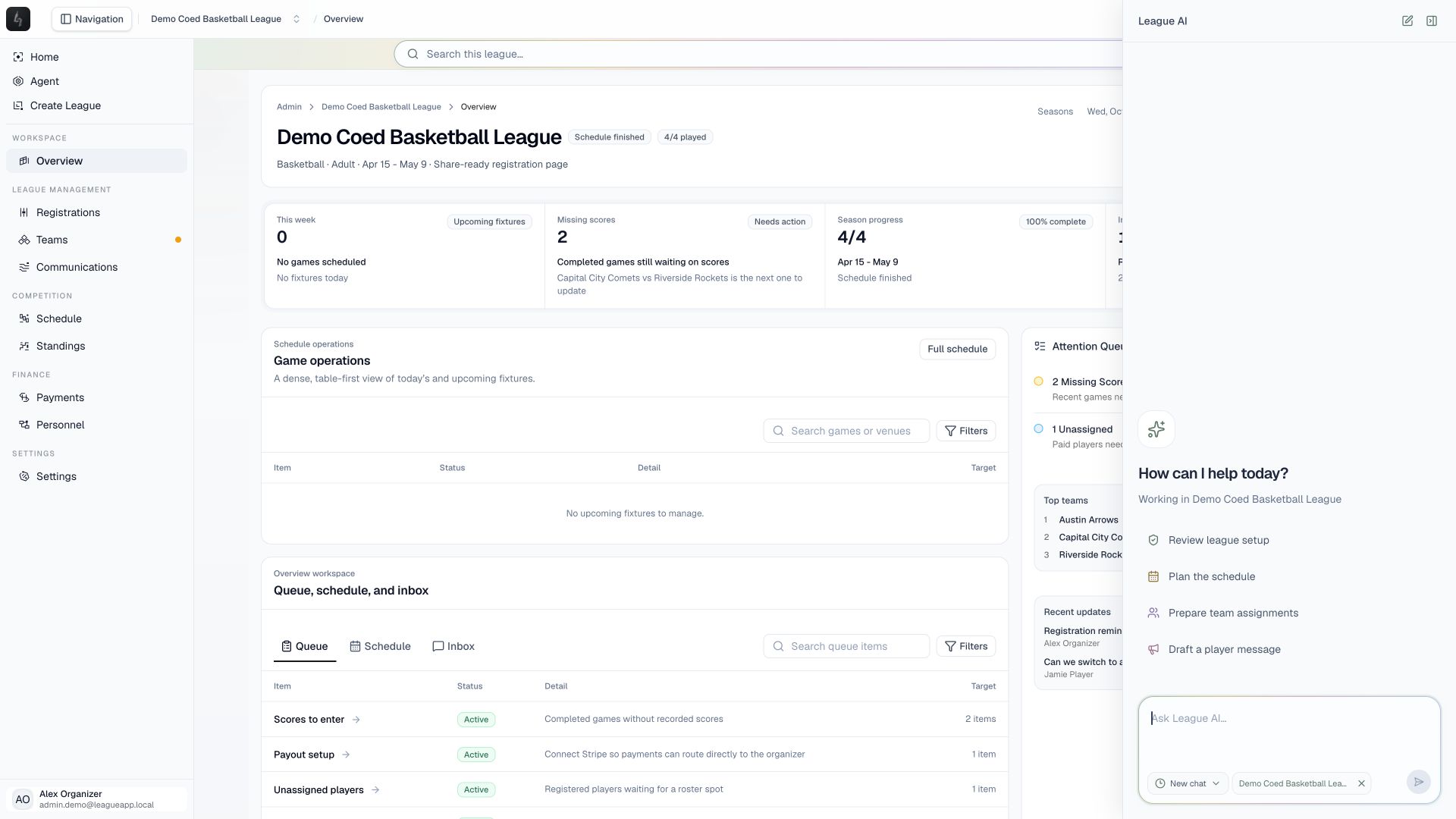
Use the small assistant launcher in the organizer workspace to open the League AI side panel.
In the workspace
How to use it
- Open the assistant and check the league context shown in the panel.
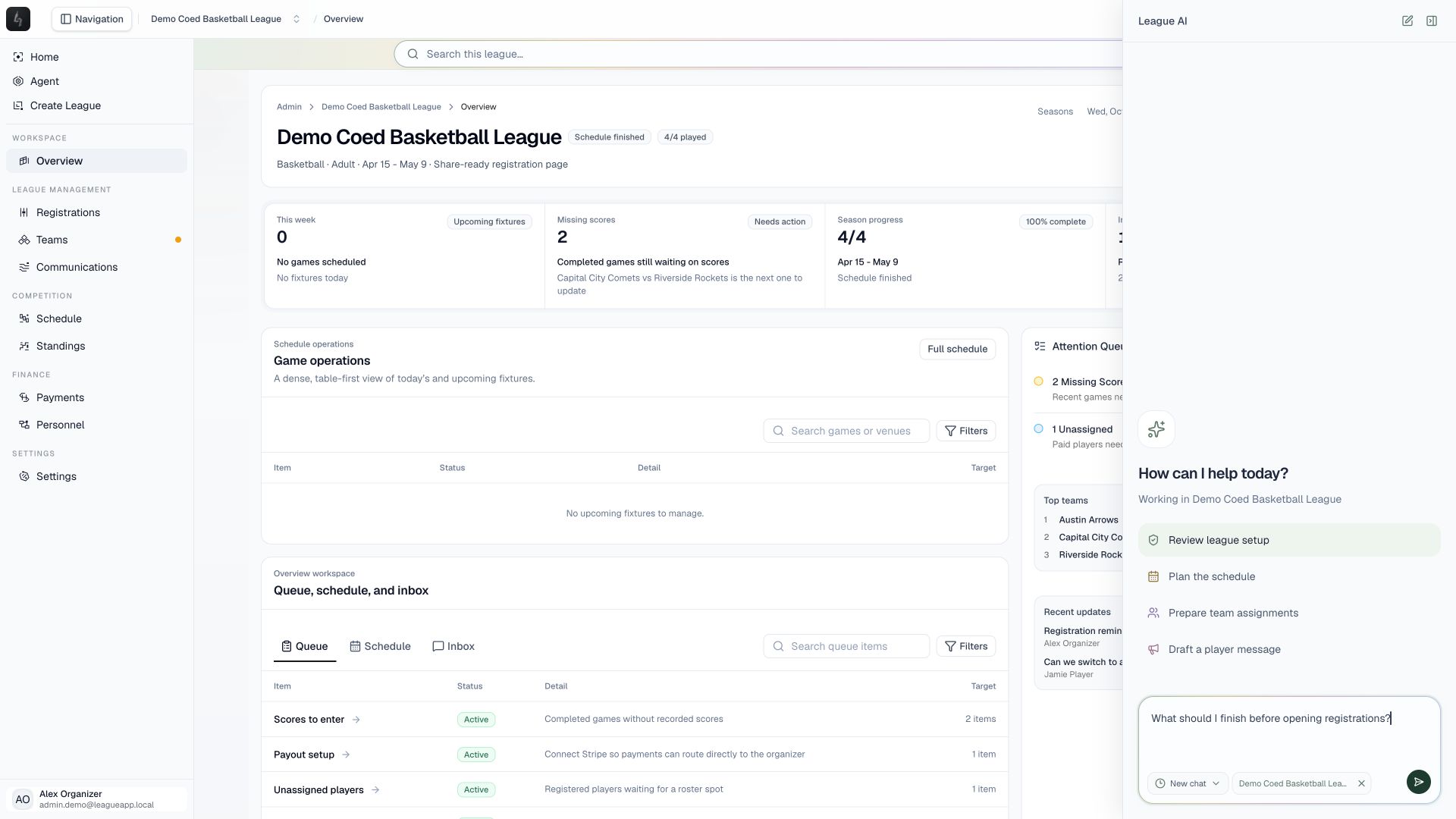
- Select a suggested task to fill the message box, or write your own request. Review the text before sending it.
- Read the assistant’s response and inspect any proposed action. Confirm only when its scope matches the change you want.
- Close the assistant to return to the page, or use New chat to begin another conversation.
Things to check
Suggested tasks prepare text in the composer; selecting one does not automatically apply a change.
The widget uses the same supported operations and confirmation rules as the full-screen agent. Check the selected league whenever you switch workspace context.
For example requests, see the sports league AI prompts guide.