Getting started · Feature guide
Organizer dashboard
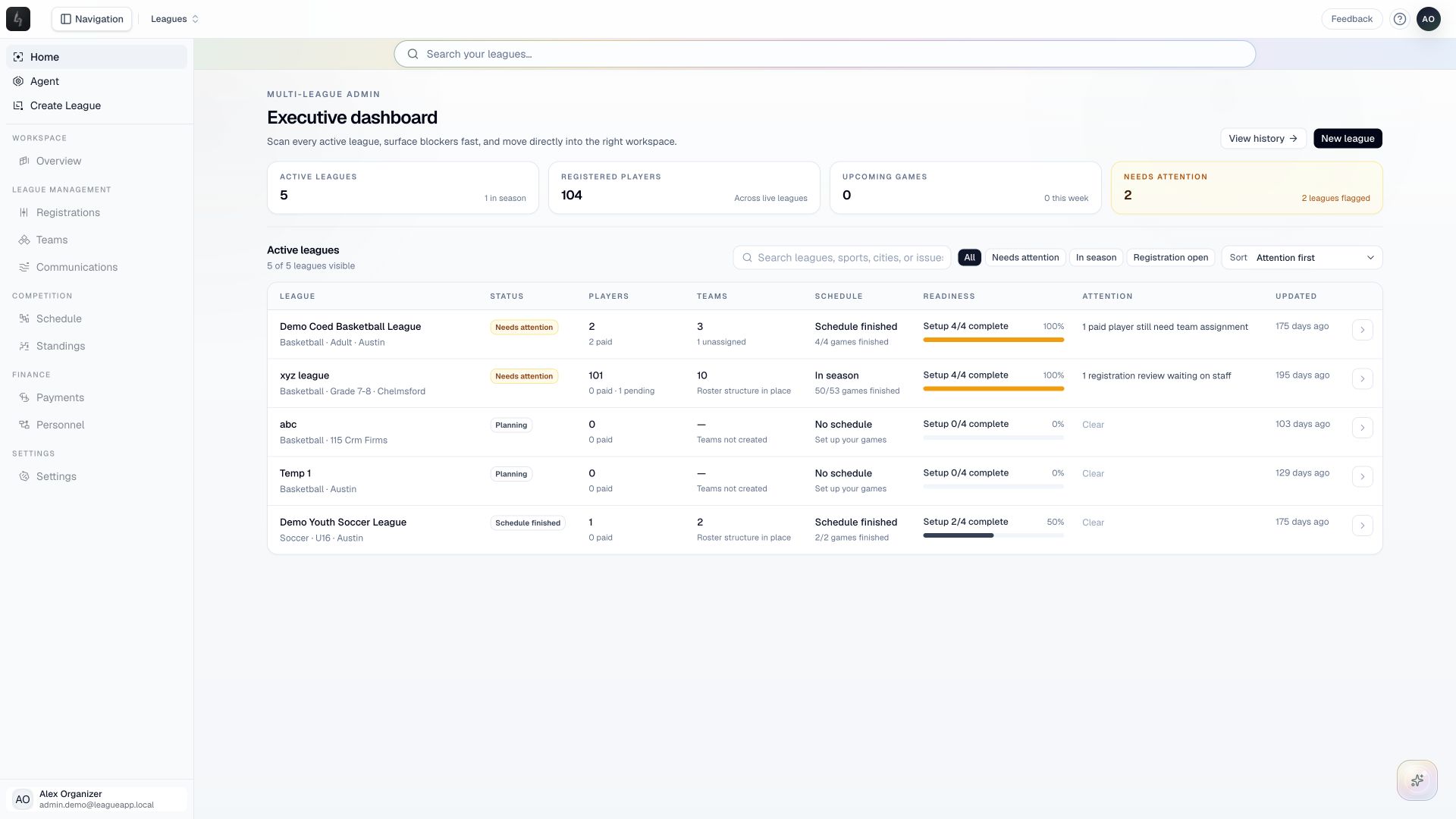
See your leagues together and choose the next piece of work from your organizer home.
Screenshots captured October 21, 2026 · Demo workspace
Open the page
Choose Home in the organizer sidebar to open the dashboard.
In the workspace
How to use it
- Review the portfolio summary for registration, teams, and upcoming competition across your leagues.
- Find the league you want to work on in the league list. Check its sport, location, and current season before opening it.
- Open the league to move into its workspace. Use its overview to find registration and season setup work.
- Return to Home when you need to move between leagues or check the broader picture.
Things to check
An account without leagues sees a getting-started screen instead of a populated portfolio. Create a league to begin.
League totals reflect the leagues you can administer. They do not grant access to another organizer’s data.