Running a league · Feature guide
League settings
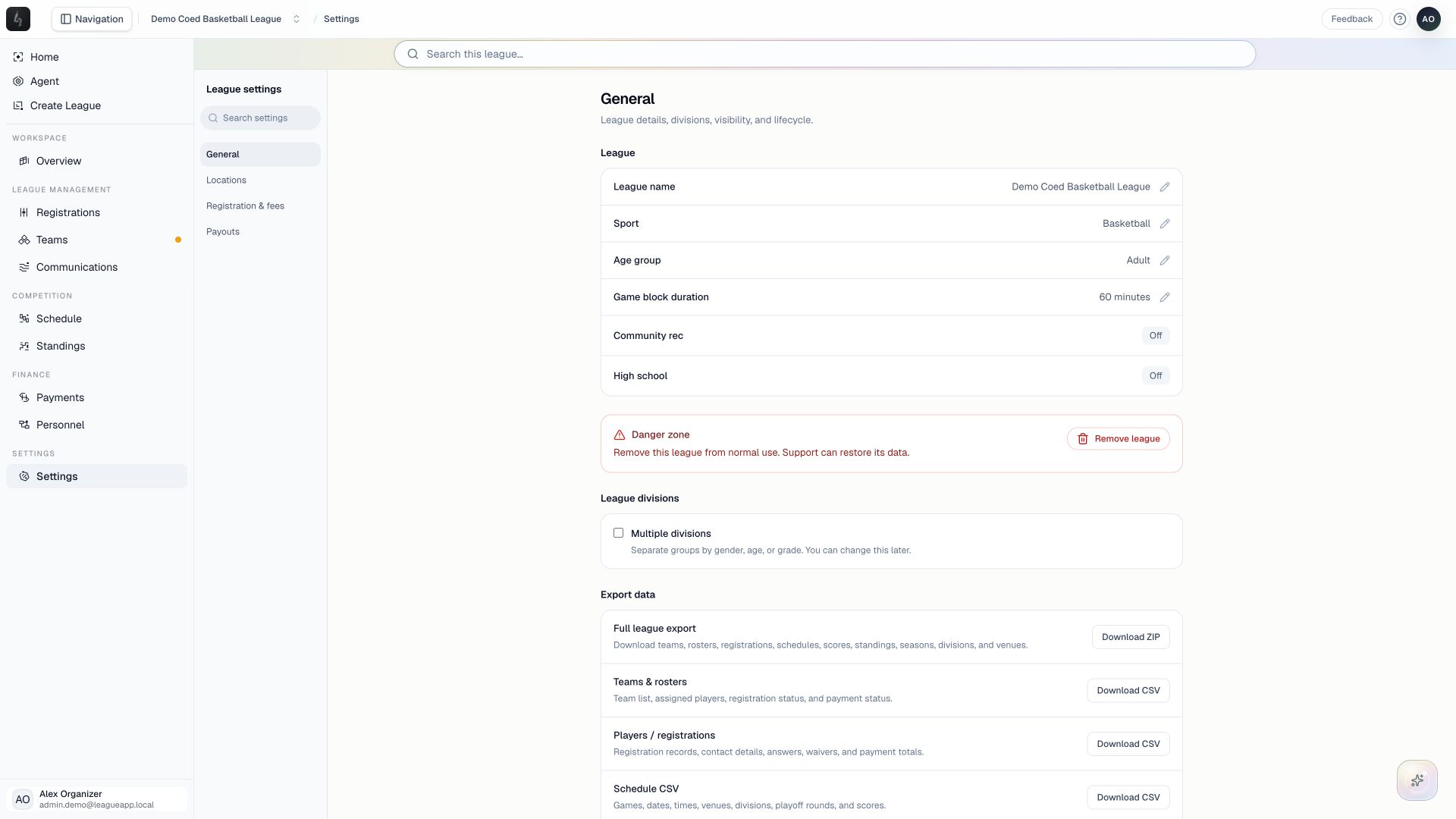
Manage league details, locations, registration defaults, and payout setup from a focused settings workspace.
Screenshots captured October 21, 2026 · Demo workspace
Open the page
Select a league and choose Settings from the sidebar.
In the workspace
How to use it
- Use General for league details, divisions, seasons, exports, history, and visibility.
- Open Locations to maintain the city, ZIP code, venues, courts, and fields used for scheduling.
- Open Registration & fees for pricing, capacity, approval rules, and access links. Use the registration program builder for its detailed questions and waiver configuration.
- Open Payouts to review the organizer’s payment connection. Use settings search to find a specific control when needed.
Things to check
Multi-division league defaults apply to new divisions; existing division settings remain independently configurable.
Visibility and removal controls have different consequences. Read the explanation before changing a league’s public availability or removing it.