Running a league · Feature guide
Schedules and games
Create a schedule draft, review game details, and make focused changes as the season evolves.
Screenshots captured October 21, 2026 · Demo workspace
Open the page
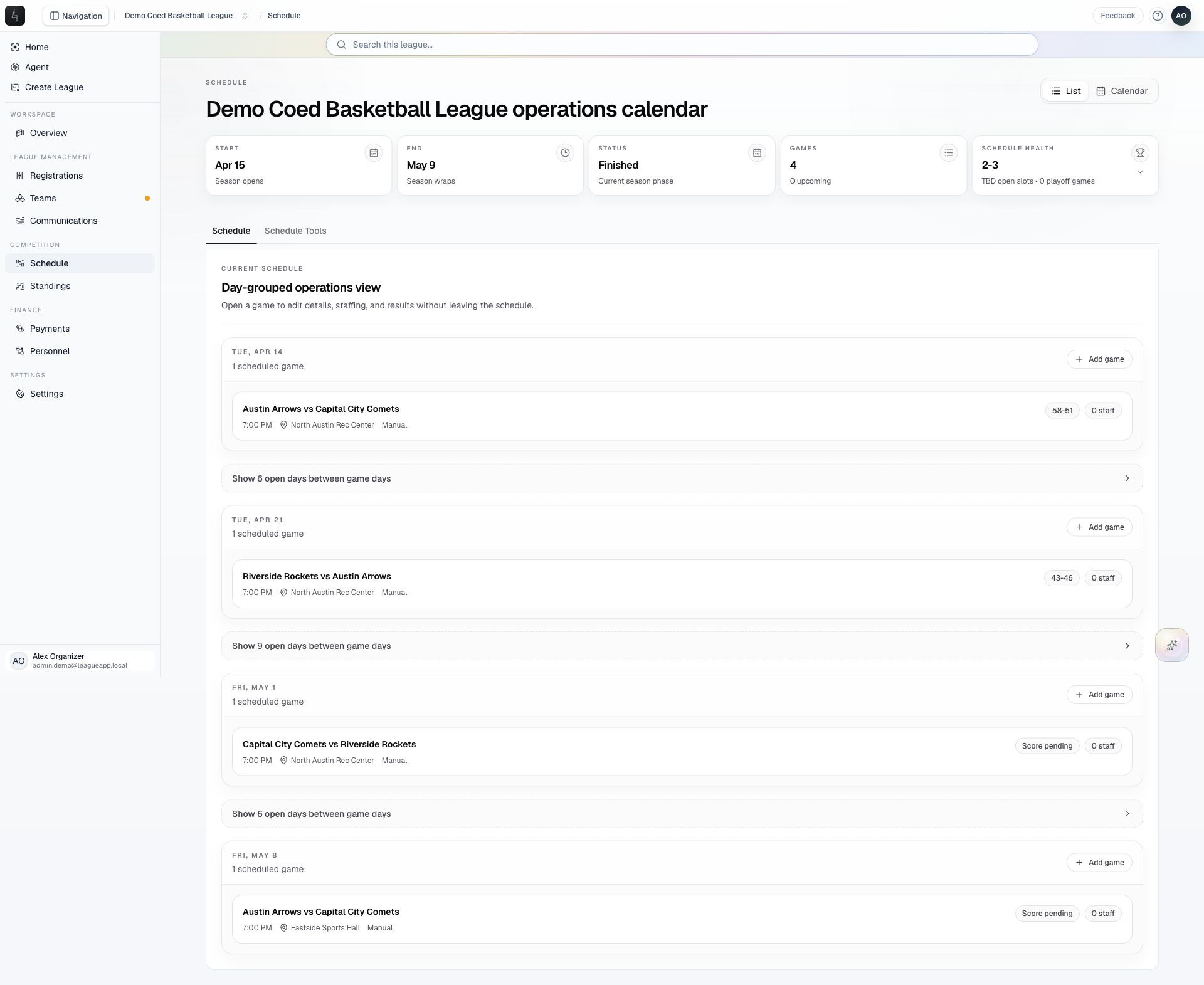
Select the league and division, then choose Schedule from the sidebar.
In the workspace
How to use it
- Use List for day-grouped games or Calendar for a calendar view. Open a game to inspect its details, staffing, and results.
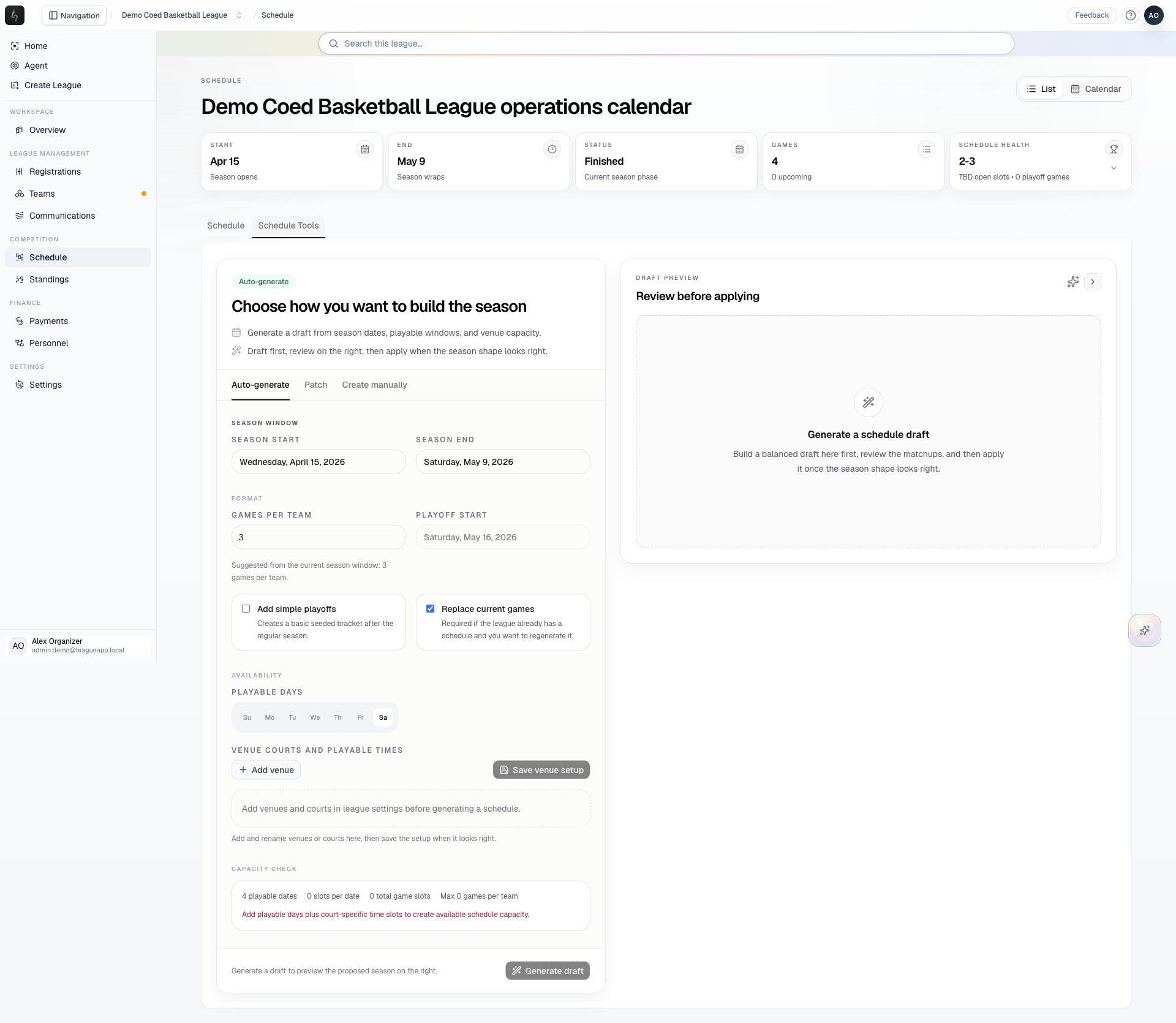
- Open Schedule Tools → Auto-generate and set the season dates, games per team, playing days, venues, courts, and time slots. Venue setup is required before Generate draft becomes available.
- Review the generated games and any warnings before applying the draft to the season.
- Use Schedule Tools → Patch for a recurring change, or Create manually for an individual game. Review affected games and replacement choices before applying changes.
Things to check
A draft is a proposal until it is applied. Review replacement choices when a league already has scheduled games.
Venue, court, time, and personnel constraints matter when moving games. Check the updated schedule after saving.