Running a league · Feature guide
League overview
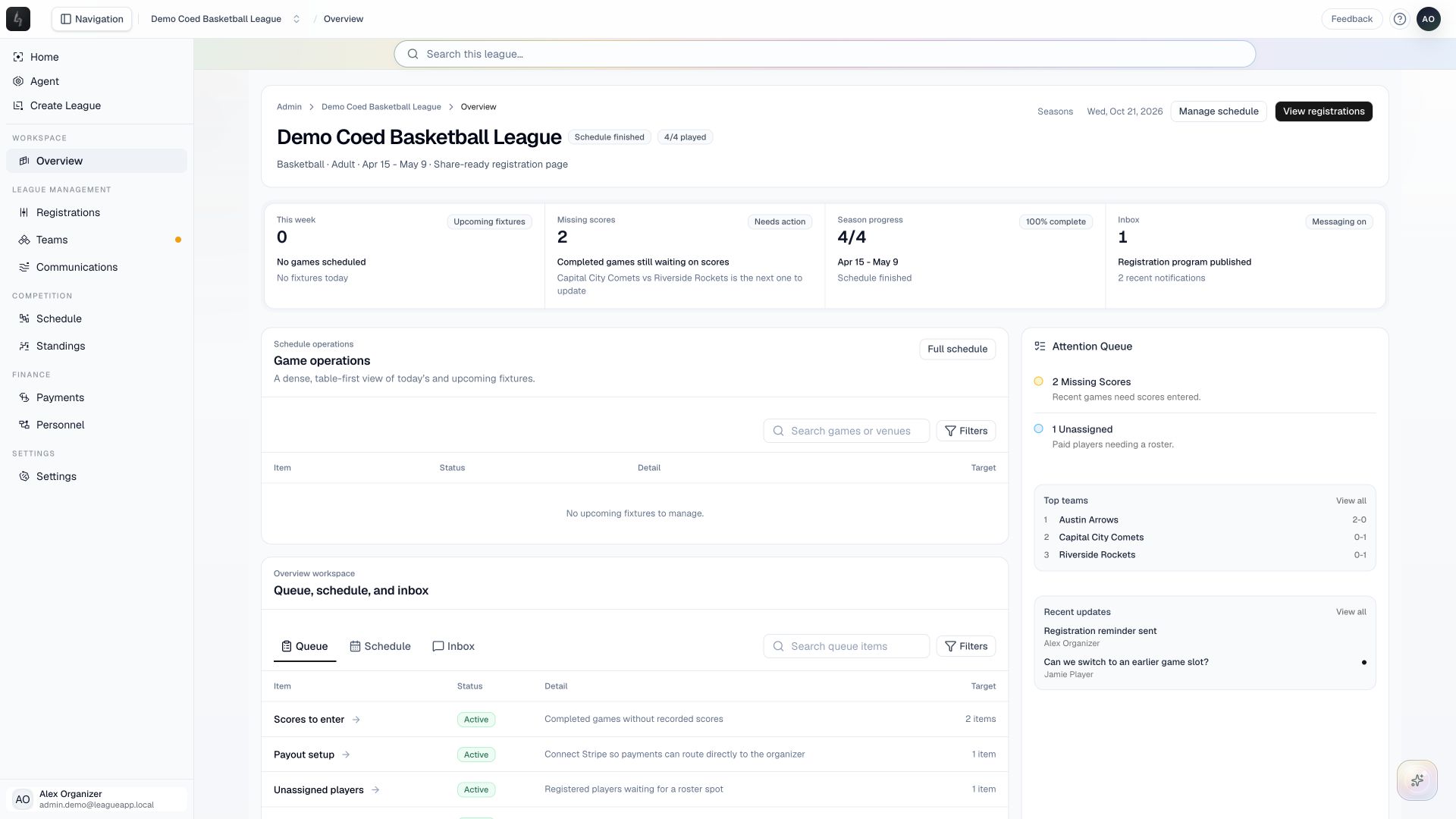
Turn the current league’s setup progress and operating signals into a clear next step.
Screenshots captured October 21, 2026 · Demo workspace
Open the page
Select a league and choose Overview. In a multi-division league, first open the division you want to manage.
In the workspace
How to use it
- Confirm the league, season, and division shown in the header.
- Review season progress and the attention queue. The overview highlights missing scores, unassigned players, and other follow-up work; a new league also has setup guidance.
- Use registration, roster, and schedule entry points to continue the work that needs attention.
- Return to Overview after making changes to check the updated state of the season.
Things to check
A newly created league has setup work to complete. An active league shows operating information as registrations and games arrive.
Use the full Registrations, Teams, and Schedule workspaces for detailed changes.