Running a league · Feature guide
Payments and finances
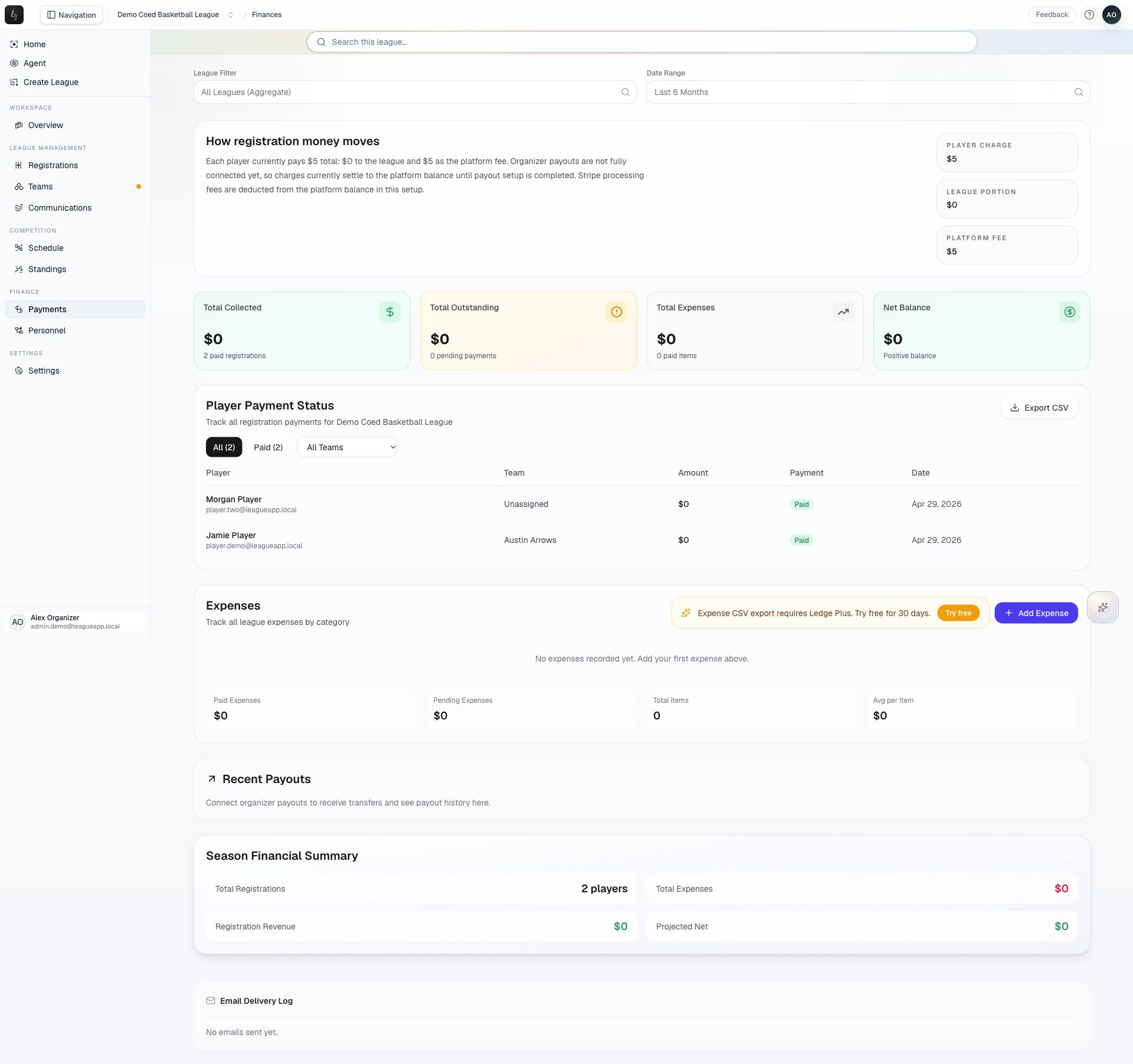
Track registration income, outstanding balances, expenses, and available financial follow-up.
Screenshots captured October 21, 2026 · Demo workspace
Open the page
Select a league and choose Payments from the sidebar.
In the workspace
How to use it
- Review the finance summaries to understand collected income, balances, and expenses.
- Inspect a registration’s payment status and outstanding amount before taking a payment follow-up action.
- Record league expenses with their relevant details so the expense view stays useful.
- Use league Settings → Payouts to review the organizer’s payout connection when online payments require setup.
Things to check
Some financial features depend on the organizer’s plan and payout setup.
Payment reminders, balance waivers, refunds, and cancellations have different effects. Review the action and amount before confirming.